2025 marked a turning point for EasyMorph. What started the year as a versatile visual data automation platform steadily grew into something broader: a collaborative work platform for teams that live in data.
Here’s how that transformation unfolded along with other improvements in both product and our communications.
January 2025
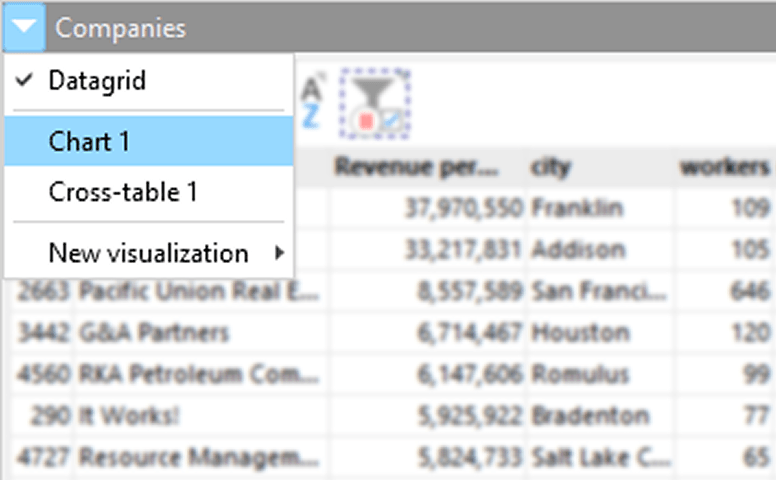
In the first month of 2025, we released some of the most meaningful changes that came with EasyMorph v5.9, where we unified tables and charts into a single workflow object. This eliminated the mental overhead of switching between different contexts and made analysis feel more fluid. Charts also became fully synchronized with Analysis View so you could see how visual insights reflect any underlying logic.
Also, EasyMorph expanded how you can customize and ingest data. One of these features was the addition of a new parameter type called “File Uploads”. This parameter type allows you to upload one or more files which are stored by EasyMorph. This feature is especially useful in EasyMorph Server because it removes the need to manage file paths manually and allows users to securely upload files directly to the server.
We also added the feature of importing data from OData sources to make workflows easier to deploy in real-world enterprise environments with systems like SAP or Microsoft Dynamics that support OData.
March 2025
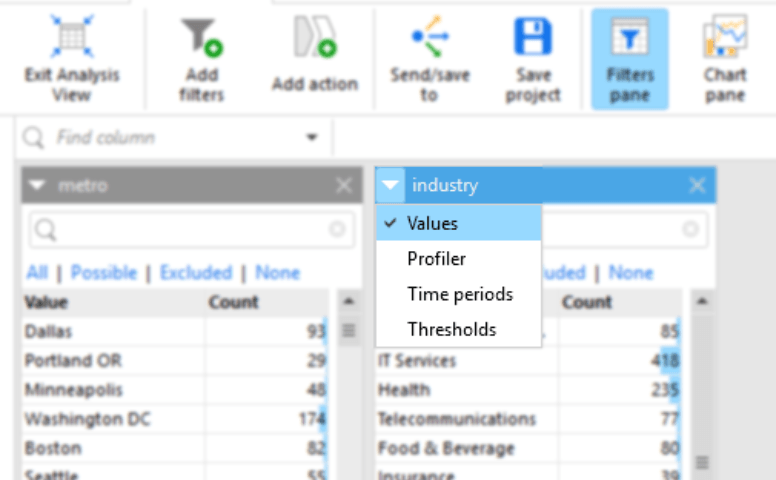
Later in the first quarter, v5.9.1 introduced several new features and improved speed of the Analysis View. We added a new feature called facets, which allows users to filter and explore data through values, time periods, thresholds, and profiling. We also improved the performance of Analysis View, especially when filtering and exploring large datasets containing millions of records.
Next, we added ML-assisted Extended Search. Prior to version 5.9.1, searching for actions only returned exact matches to the name of the action. We felt it could be easier on users. So now it’s much simpler to search for actions even if you don’t know the correct name. We also expanded “Ask AI” support, allowing users to use any Large Language Model which provides an OpenAI-compatible API. This makes it possible to use EasyMorph with Ollama, OpenLLM, and many more 3rd party and locally hosted LLMs.
Behind the scenes, we also improved our products for enterprises. We added Microsoft Entra ID authentication (formerly Azure AD), support for multiple identity providers, and new Gateway capabilities for secure and automated collection of forms and files from people outside of the company.
May 2025
May started with the launch of EasyMorph v5.9.5. In this new version, the platform moved beyond scheduled automation and into real-time responsiveness. One of the most requested and expected new features for EasyMorph Server was “Triggers”. Before, users could only schedule EasyMorph Server Tasks to run at a predefined time or interval. But now Triggers allows users to run Tasks when events occur. So EasyMorph can react immediately when something happens. Two Triggers added in this release included the “Schedule Trigger” and “The Email Received Trigger”.
We also added two significant improvements to Boards on EasyMorph Server. Metrics and other board sections have become real-time, which allows teams to see changes in data and KPIs effectively instantly . The second feature we added was the Tasks Section, which allows you to add a subset of Tasks configured in the Space onto a Board of your choosing. Users can then manage and run these Tasks directly from the Board, without switching away from it.
One of the simpler, but very useful things we added was the “Text Length” facet to the Analysis View. So you can now profile and filter text values by the number of characters they contain.
The last thing we improved was a few actions and added some new functions to some existing features. These include “Pivot Action” improvements, the “Catalog Command” action’s new “Increment Metric”, and the “Ask AI” action update which allows you to attach files when sending a request to a LLM.
June 2025
At EasyMorph, users are our priority. And we wanted a way to better connect with our customer base. So in early June, we resumed sending out our regular newsletter, which highlighted new ways to engage and learn different ways people work with EasyMorph.
Of the many changes included in our newsletter, we wanted to put together an event that could help everyone who works with data. So we hosted our first webinar on June 25th, Put an End to Your Data Quality Problems – Part 1. We introduced a structured approach to profiling, validation, and issue detection. Our goal was to reinforce the idea that data quality is not a one-time cleanup, but an ongoing system.
July 2025
This momentum continued with v5.9.6, which introduced more event-driven features. On EasyMorph Server we added two new triggers. This includes “File Event Trigger”, which allows users to create a trigger when files have been added, modified, or deleted in a folder. And we also added “Database Rows Added Trigger”, which allows users to monitor a specific database table and run an EasyMorph Task when changes are made.
Also, we expanded the usefulness of Explorer Boards. We added a new feature to Tables so now they update in near real-time when any underlying dataset is updated. This makes Boards even more useful for real-time monitoring of technical and business processes.
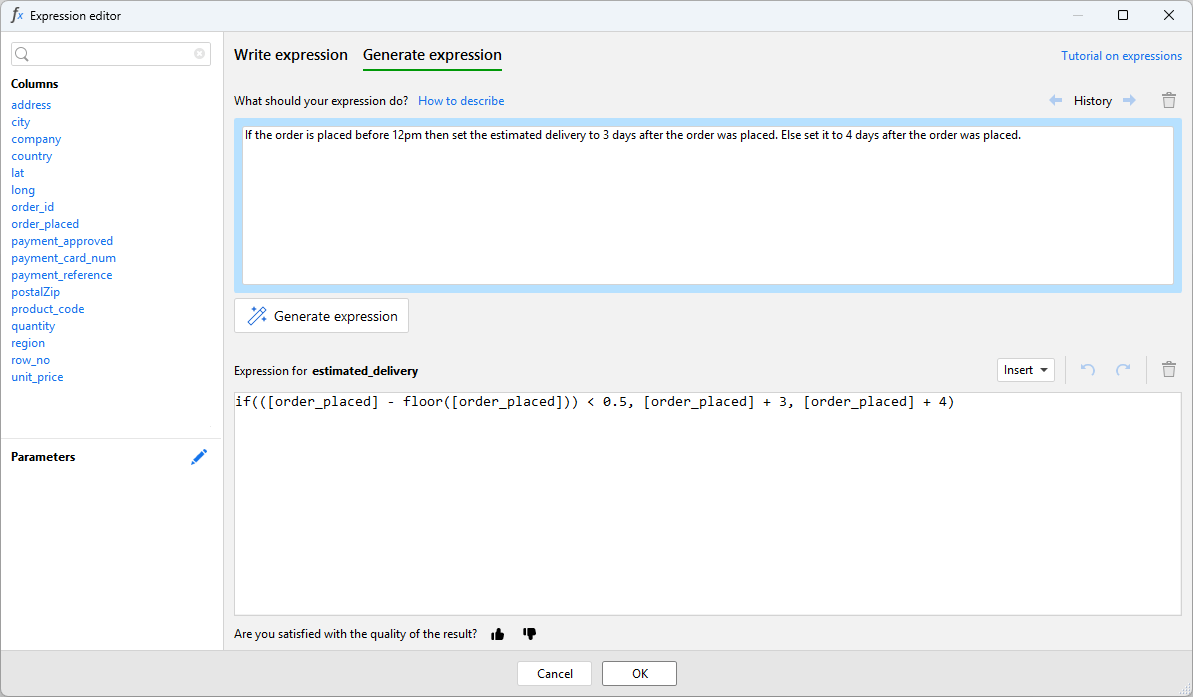
We also noticed that many users requested help to create formulas. That’s why we’ve introduced AI-powered Expression Generation in version 5.9.6. This new feature allows users to use a powerful cloud AI model to write Expressions. All the user needs to do is describe their logic or calculation in simple English (other languages work too) and the AI-powered Expression Generator will attempt to turn it into a valid EasyMorph Expression.
In July, we wanted to expand on the first part of our data quality webinar. So we announced part 2 and hosted Detect, React, and Resolve Data Quality Issues on July 9. During the webinar, we showed how Data Analysts and Data Engineers can use automated alerts, issue tracking, and other features to enhance data quality management. We also showcased a new way to think about EasyMorph, using Data Contracts to ensure better data quality via EasyMorph Desktop.
August 2025
Following our webinar series on Data Quality Management, several EasyMorph users reached out to our team to request a webinar on API automation. So we hosted our third webinar, Connect, Automate, and Scale with APIs in EasyMorph on August 27. During the webinar, we showed EasyMorph as both an API client and server, enabling integrations with cloud apps, webhooks, Zapier, and Power Automate.
September 2025
The most significant release of the year arrived with EasyMorph v5.9.7, which introduced our native Python integration. Users could now call Python directly from workflows, use the easymorph Python library, and move data seamlessly between EasyMorph datasets and Pandas DataFrames.
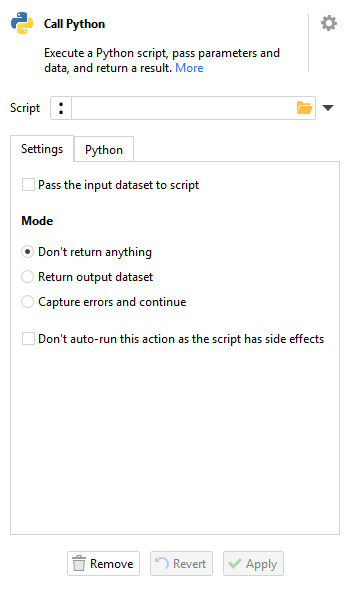
Our new Python Integration expanded who EasyMorph was for. Python users and visual workflow users could finally work in the same environment, without duplicating logic or context. And the best part is, Python engineers could productize their scripts to be used by non-technical team members.
We also added processing improvements and richer workflow annotations for Explorer and The Catalog. Our goal was to make it easier for teams to govern and reuse assets across the organization.
Alongside our new Python release, we hosted our fourth webinar on September 23rd, How to Get Everyone on the Same Page Without Paying a Fortune. Many tools integrate data, but businesses and teams still can’t easily get to the data they need as it’s fragmented across multiple applications and locations.
This can come as a tremendous challenge because their information is typically in dashboards, spreadsheets, network folders or the cloud. To solve this, we showcased EasyMorph Explorer, which acts as a hub where data, goals, tasks and resources come together to form a single business context. This allows users to get the resources they need and work from one context, rather than going from system to file to dashboard trying to work with or find the information they need.
October 2025
We wanted to make it easier for our users to understand how they can use Python with the new Python Integration released in September. That’s why we hosted a Combining Python and Visual Workflows webinar on October 29. We showed a hands-on step-by-step tutorial and walkthrough of how you can use Python in real EasyMorph workflows. And then we also showed how teams can use the new Python Integration to productize their Python Scripts in a shared environment. So non-technical users and team members can finally use data science and collaborate better with Python engineers.
November 2025
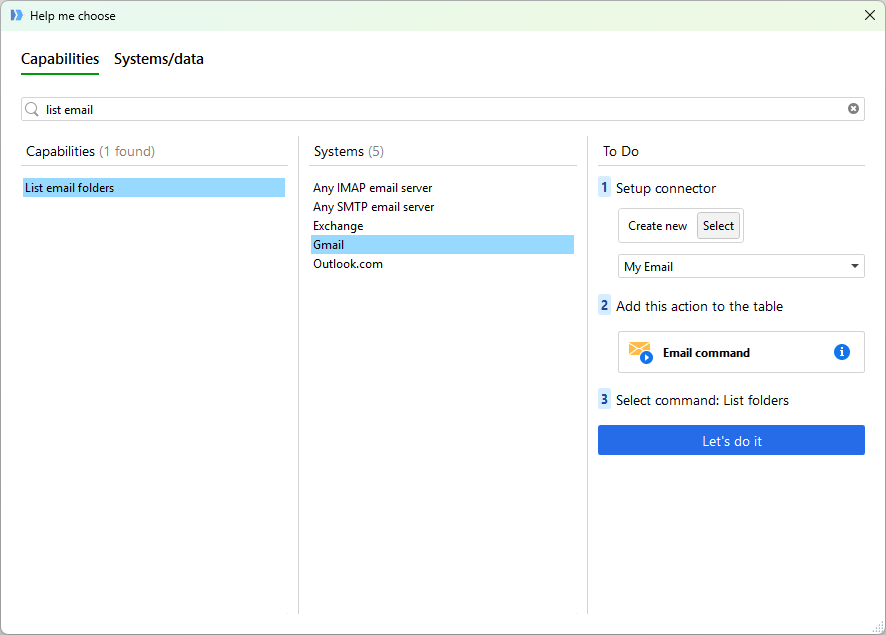
In November, we wanted to add several more features in v5.9.8. In this new version, we focused on usability, performance, and flow. The new “Help me choose” action showed users how they can use each action and how to configure it, while the ability to raise Issues directly from Analysis View allowed users to move quicker with their workflows.
In a new release, we added a new task trigger, where you can run a Task when a file inside the specified Dropbox folder is created, modified or deleted. This is just one of the many planned cloud triggers and more will come in future versions.
The other huge announcement coincided with our new mission. Dmitry Gudkov, Founder of EasyMorph, announced that the company’s mission has evolved, highlighting where our company started and where we want to be. We changed our mission from easy data automation to easy work automation for teams that work with data. This is a significant announcement and we recommend you read it to understand where we’re going in the future.
December 2025
On December 3rd, we hosted our last webinar for the year, How to Prepare for the Trends in Data & Analytics in 2026. We wanted to showcase trends that shaped the previous years and specifically 2025 for the Data and Analytics industry. For many organizations, data and apps fragmentation is the defining challenge ahead and to support this challenge, we showed a real world use case on how EasyMorph customers can fix such fragmentation. At the end of the webinar, we made an announcement that coincided with our new mission; we announced several changes for version 6 and the renaming of EasyMorph Server to EasyMorph Hub.
Closing Reflection
The year 2025 was a turning point for EasyMorph. We’ve reassessed our mission and goals that will define our product roadmap for many years ahead. We’ve made a big step in making EasyMorph more capable, versatile, and enterprise-ready. Most importantly, we now see how we can deliver even more value to our users in both technical and business departments by focusing on tighter collaboration and broader automation.
In 2026, we have many huge features and updates planned, the first being version 6. Be on the lookout as we prepare for the big release. In preparation for this release, we are hosting our second community meetup in January, where we will share our roadmap. Join us for the live session!