Excel is a fantastic tool, but if you work in it long enough, you learn a painful truth: there’s a lot of repetitive manual work that takes hours to complete.
These tasks can range from copying rows and data, consolidating reports, formatting new data, updating templates, and even sending the final output to the right people every month. The bigger issue is that none of these are a one-time job because they repeat month after month, and most teams still don’t have a reliable way to automate them.
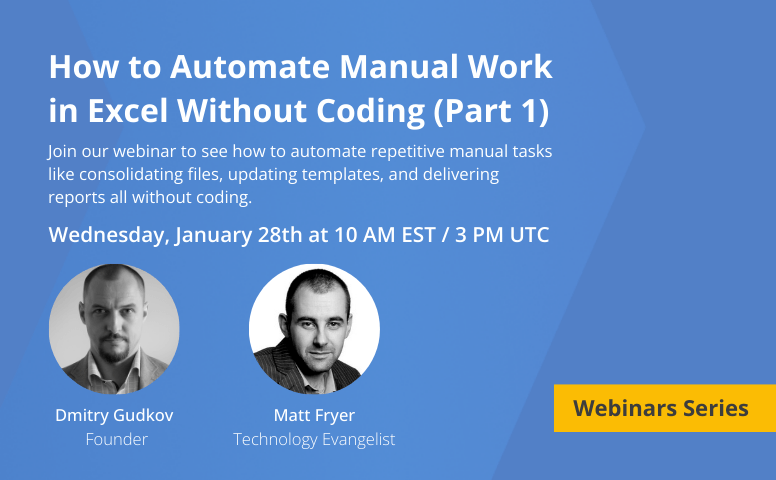
That’s exactly why we’re launching a new webinar series: How to Automate Manual Work in Excel Without Coding.
What You’ll Learn in Part 1
You’ll learn how to automate the most common time-consuming Excel tasks without writing code.

Topic 1: Common Excel tasks you can automate
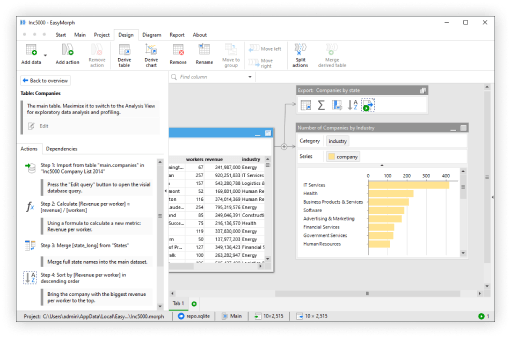
Dmitry will provide an overview of how EasyMorph can help you:
- Automatically consolidate multiple spreadsheets into a single, clean dataset.
- Receive and send Excel spreadsheets and other files by email.
- Combine Excel spreadsheets and CSV files into one file.
- Update Excel templates automatically (without manual copy-paste).
- Schedule tasks using EasyMorph Launcher so automations run automatically (daily, weekly, monthly, or on your schedule).

Topic 2: A Practical Scenario
Matt will walk through a realistic example showing how you can:
- Use EasyMorph to remove repetitive Excel work and replace manual steps with automated workflows.
- Help your team eliminate bottlenecks between business users and technical teams.
- Automatically consolidate and standardize incoming Excel files (even when formats vary).
- Generate reports automatically, with consistent structure and formatting.
- Enable data engineers to support business users by sharing logic, assets, and reusable code.
Live Q&A – 10 Minutes
We’ll finish the live session with questions from attendees. This is a great opportunity to talk with Dmitry and Matt, so make sure you’re ready!
Who Should Attend?
This session is built for:
- Excel users and business teams who want to eliminate repetitive manual work.
- Financial analysts and operations teams managing recurring reports and templates.
- Data analysts and engineers supporting Excel-heavy workflows across the business.
- IT leaders and operations managers who want scalable automation without adding complexity.
- Anyone tired of manual Excel processes like consolidating files, fixing formats, and rebuilding reports every week.
No heavy technical background required.
Why EasyMorph?
EasyMorph was built to eliminate repetitive manual work around Excel, but it goes far beyond simple spreadsheet automation. It helps teams automate data preparation and generate consistent outputs using the same Excel templates they already rely on.
Bonus: All registrants get access to the replay and a guide of how EasyMorph and Excel work together after the session
Space is limited - reserve your seat today.
Coming Up Next: Part 2 Preview
At the end of Part 1, we’ll tease what’s coming next in Part 2, where the automation gets even more powerful. In Part 2, we’ll cover advanced capabilities like:
- Automatically download and upload files to SharePoint (and similar platforms).
- Reuse the same workflow for different reports, teams, or time periods.
- Process dozens or hundreds of files at once (folders, batches, monthly drops).
- Trigger tasks or workflows automatically when new files arrive or something changes.
- Combine Excel data with database data for richer reporting.
- Create shared workflows where analysts and data engineers collaborate in one environment.
- Run your existing VBA macros automatically as part of a bigger workflow.
- Add automatic data validation to catch errors before reports go out.
If Part 1 helps you eliminate the manual work you already hate… Part 2 is where you’ll learn to build automation that scales across teams.