If you work with Excel, you already know how versatile it is. But you also know the frustration that creeps in when your data grows bigger or messier. What typically starts as a quick report turns into hours of copying, pasting, fixing formats, and hoping that formulas don’t break when new data comes in.
The good news is you don’t have to abandon Excel to fix this. EasyMorph is a companion application to Excel that takes over the heavy, repetitive data work so you can get back to your work in Excel.
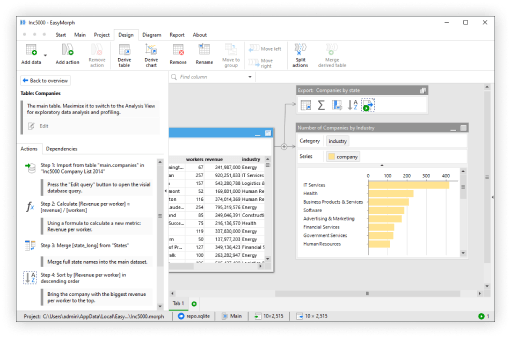
EasyMorph is a visual automation tool that lets Excel users build reusable workflows in minutes. There’s no complex formulas, just actions you can simply drag and drop to transform your data.
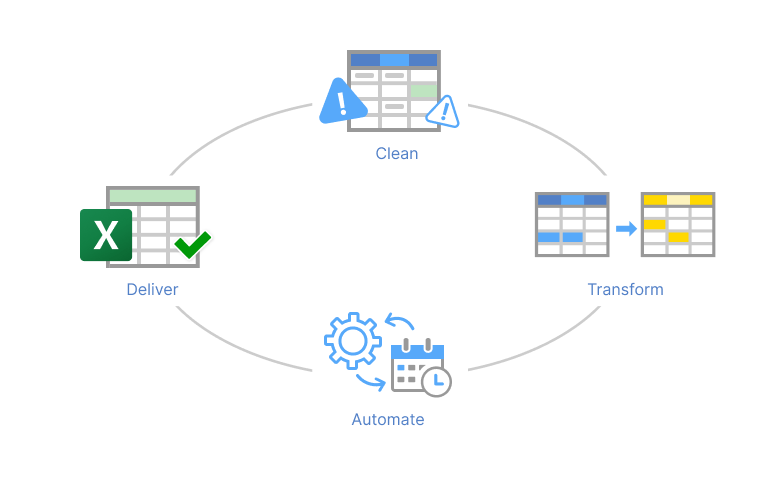
Why Use an Excel Companion Application?
When faced with a simple problem like fixing data or formatting it differently, the most obvious question that comes to people’s mind is, why can’t I just use Excel for that? While it’s true that you can use Excel for a lot of tedious work, there are a few things that Excel is not built for. For most Excel users, they eventually hit similar problems:
- Copy-pasting data on a regular schedule.
- Manually cleaning the same formatting issues month after month.
- Spending hours fixing formulas that previously worked with no issues.
- Rebuilding the same report layout.
- Watching Excel slow to a crawl when files exceed 100k+ rows.
These aren’t “advanced” problems. They’re everyday reality for analysts, finance teams, operations managers, and anyone who relies on spreadsheets.
To put it simply, EasyMorph solves these issues by automating tasks. And the best part is, anyone can learn it in an afternoon. Instead of doing a lot of this work manually, you let EasyMorph handle the tedious prep work and then drop perfectly clean data back into Excel.
Here are four practical ways EasyMorph and Excel work together to save you hours every week:
Number 1: Clean Messy Data Without Complex Formulas
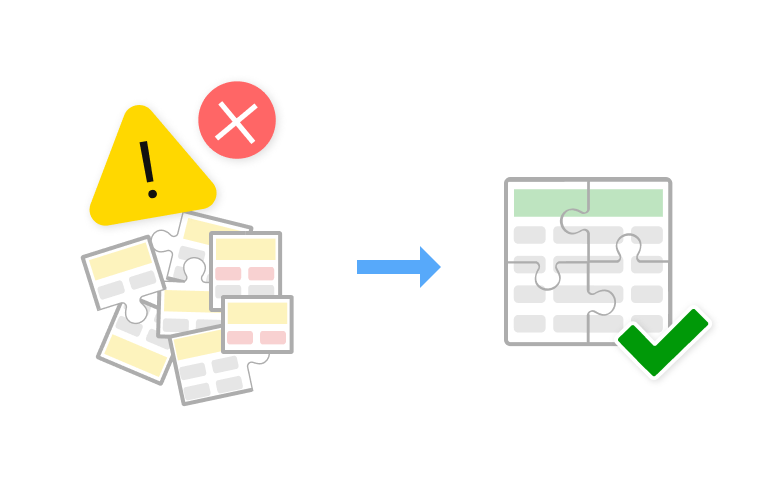
One of the biggest time sinks in Excel is trying to clean messy data. This typically looks like removing duplicates, splitting data, standardizing values, merging columns, or fixing dates.
The problem with using Excel is that you typically rely on manual methods to clean the data. This can range from minutes to hours or days, depending on how much data you’re working with. If you’re only dealing with a few simple rows, it can be done in minutes. But what happens when you’re working with thousands to tens of thousands or over a millions records? First, excel has a hard limit at 1,048,576 rows and with all the data, you don’t always know if you’re fixing all the problems.
That’s one of the core reasons why we built EasyMorph. On EasyMorph Desktop, you can build a workflow to automatically download your data, filter out bad records or blank rows, and then open it in Excel once it’s done. And after you’ve built the workflow, you automatically run it on a schedule, where you can import any new data and clean it in seconds.
Simply put, you can visually automate data cleaning tasks that used to take half an hour in under 60 seconds.
Number 2: Combine Data from Multiple Files or Sources in Seconds
Almost every Excel user eventually needs data from more than one place. For example, sales may have their data inside a CRM, budgets might be in a finance system, or product lists might be in a workbook or spreadsheet.
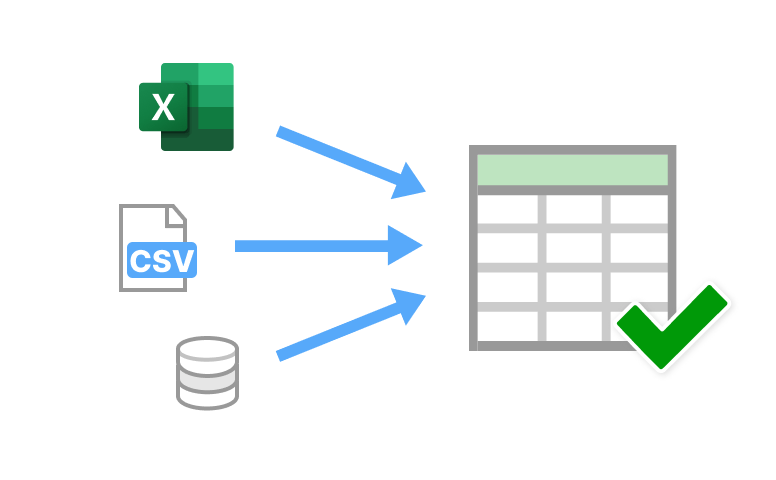
Trying to merge these types of data can be difficult. Especially when the data comes from various sources. That’s why in EasyMorph we created a way for you to connect to databases, ERPs, CRMs, and other tools so you can merge data from multiple sources, regardless of where they come from.
Here’s an example of how it works for combining a CSV located on a cloud drive and a spreadsheet on your computer:
- Download and open EasyMorph.
- Create a new project.
- Set up a connector to where your CSV is located and Import your CSV.
- Drag and drop the spreadsheet from your computer into EasyMorph.
- Both the CSV and spreadsheet (your sources) will show up as tables. Join your data with one of our merge actions.
- Add the “Export to Excel” action and the file will be saved where you choose.
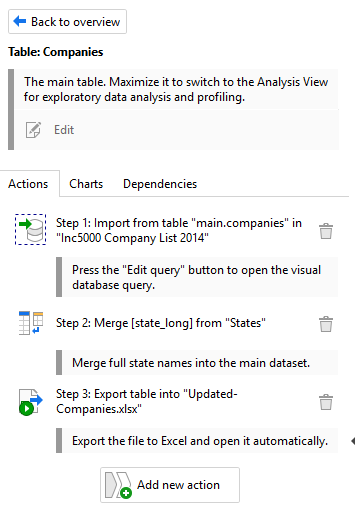
So rather than having to download the file manually from your cloud drive, format it in Excel, then combine the data manually (which can take hours with formulas), you can do it quickly through visual actions. EasyMorph makes it easier to connect to your sources, combine data, and work with the result quicker in Excel.

Number 3: Replace Repetitive Tasks with Simple Automations
Many Excel users spend a lot of their time on the same small tasks performed manually. These tasks look like renaming files, copying data between sheets, applying formatting, or even running quality checks before sharing a workbook. While these steps might only take a few minutes, they add up quickly.
In Excel, you might handle these manually or with basic macros, which can be tricky to set up and difficult to maintain. Instead, EasyMorph lets you turn these routine actions into reusable, visual, one-click automations.
For example, business analysts regularly receive zipped CSV files via email. Afterwards, they typically need to extract them, import the data to Excel, apply basic filters, and save the spreadsheet to a specific folder with a dated filename. Here's how EasyMorph simplifies it:
- Open EasyMorph and start a new project.
- Add the “Fetch Email” action to download attachments from your email and place them into a corresponding folder.
- If the files are zipped, add the "File Command” action and click Unzip Archive. Place it into your corresponding folder.
- Add the “Import delimited text file” action and choose your recently downloaded CSV file.
- Add actions like “Deduplicate rows”, “Remove empty rows” or other actions to transform the data.
- Add the action “Export into Excel file” choose the name and save the file.
- Run the workflow, and watch it transform your data and save it to an Excel file.
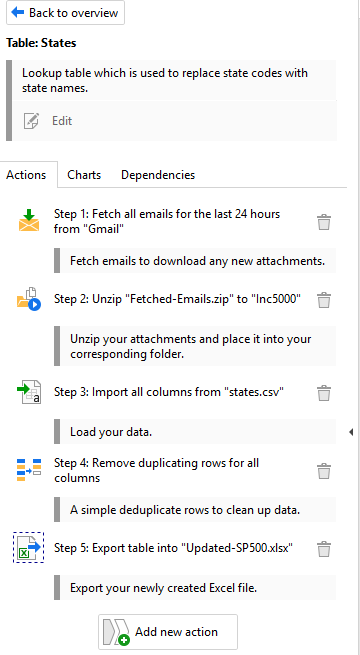
Once built, you can re-run this workflow with a single click or schedule it at a certain time of day, whenever you need to check for new data sent to your email. EasyMorph even lets you add other handy automations, like sending confirmation emails or triggering external communication programs like Slack, Teams, and more. So if you want to be notified, you can easily receive a notification in your chosen application.
Number 4: Automate Your Recurring Reports to Reclaim Your Time
Since we showed how you can automate simple tasks with EasyMorph, let’s take automation a step further.
If you build the same Excel report every week or month, you already know it takes a lot of manual work. This typically means you gather new data, get rid of blanks or duplicates, fix formatting, merge it with last month’s numbers, update your formulas and pivot tables, and then save the file. When you actually break down how long each action takes, it’s a lot because each one can range from minutes to hours.
This used to be the norm and unfortunately, for a lot of Excel users, it still is. So why not make it faster and easier so you can actually start analyzing the data? That’s exactly what EasyMorph does. EasyMorph Desktop lets you automate these repetitive reports so you can analyze them in Excel. Here’s how:
- Open EasyMorph and start a new project.
- Drag and drop your data into the workspace.
- Add actions like “Merge another dataset” to combine with last month’s data, “Deduplicate rows,” and others to add or clean your data.
- Add actions like “Calculate Column” for business calculations or “Pivot” to prepare summary tables.
- Format the report in the way you want.
- Add the “Export to Excel” action with the mode “Replace table in existing file” to update a recurring report. Or you can also add the Excel Command action and select “Recalculate Workbook” to re-run all formulas and update their results based on your new data.
- After you’re done, you can click “Run all actions” on the Main Navigation Bar to run the workflow.
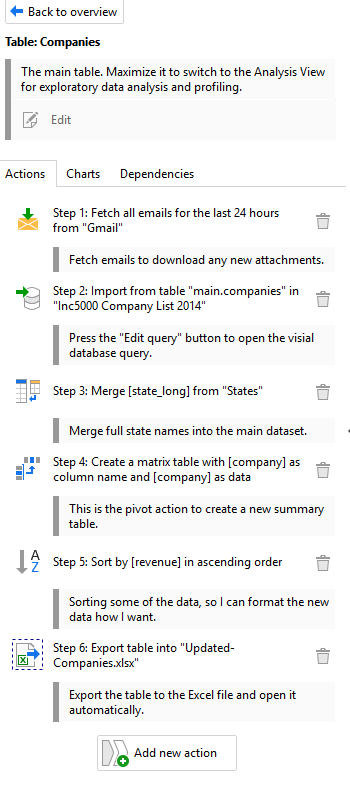
Now, if you get new data either tomorrow, next week, or next month it just takes one click to automatically get the same report with updated calculations and metrics. And the best part is, EasyMorph lets you drop this formatted report wherever you want. This could be a shared drive, on your desktop, or any connection of your choice.
Work Smarter, Not Harder with Excel and EasyMorph
Together, EasyMorph and Excel give you the best of both worlds. Here are just a few ways you can use EasyMorph to improve your Excel workflow:
- Save hours every week on manual work.
- Automatically eliminate errors caused by copy-paste and broken formulas.
- Clean and transform data 10× faster than just with formulas.
- Automate entire reporting cycles with push-button simplicity.
- Keep using Excel for dashboards, charts, and sharing exactly like you do today, but with automation.
The best part about this is that you don’t need to learn a whole new platform from scratch, only a few simple tricks to hasten your Excel workflows. EasyMorph is a lightweight, but powerful companion application to Excel that makes your existing spreadsheets more powerful.
Ready to start automating and saving hours a day?
Download EasyMorph free and build your first automation in under 10 minutes:
Frequently Asked Questions
How do I clean messy Excel data without formulas?
EasyMorph’s visual actions to help you remove duplicates, fix formatting, split/merge columns, standardize values, and more. For more information about how you can clean messy Excel data, you can watch our tutorial or find guides on our community forum.
What’s an easy way to automate repetitive Excel tasks?
EasyMorph lets you build visual workflows with actions. Once built, you can schedule or run it at any time, whenever new data arrives. No macros or coding needed.
How do I merge multiple Excel files without errors?
Drag your Excel files into an EasyMorph project and use the “Append” or “Merge” actions. Depending on what you need, the visual workflow actions handle different missing values and other problems automatically.
How can I prepare data before sending it to Excel?
EasyMorph is a visual data automation platform that has data preparation built in. Meaning, you can clean, transform, and enrich your data visually, then export your information into an Excel file afterwards.
How can I speed up Excel work without learning macros?
EasyMorph provides a visual action workflow builder that allows you to transform data without formulas, making it the fastest way for you to achieve automation without macros.