We refer to the order in which things are executed in an EasyMorph workflow as the order of operations.
The simplest EasyMorph workflow comprises a single table with its single action chain. In this scenario, the order that the actions are executed in is clear, as the data passes from left to right along the action chain.

But as our workflows grow, they can become a lot more complex; with tens of tables and hundreds of actions. Workflows can also branch and then re-merge, call other projects and modules, and run external scripts. This can make it more difficult to know the order in which actions will be executed.
If it is important that certain actions run before others which depend on them, then you may be concerned that your workflow might not execute in the correct order.
The good news is that for the most part we don’t need to worry about or explicitly define the order our workflow will execute in. EasyMorph’s workflow engine takes care of it for us.
Implied dependencies
In the simplest terms, the workflow engine examines our workflow and all of the dependencies between the actions. These dependencies then allow it to calculate the order of operations before it begins executing the workflows. For example, it knows:
- Each action depends on the previous action in the same action chain
- A derived table is dependent upon the table from which it is derived. Specifically, the last action in the source table.
- Actions which refer to another table, such as the Merge another table or Lookup actions, depend on those other tables. Specifically the last action in the other table.
- Actions which run another module or project must wait for them to finish before moving on.
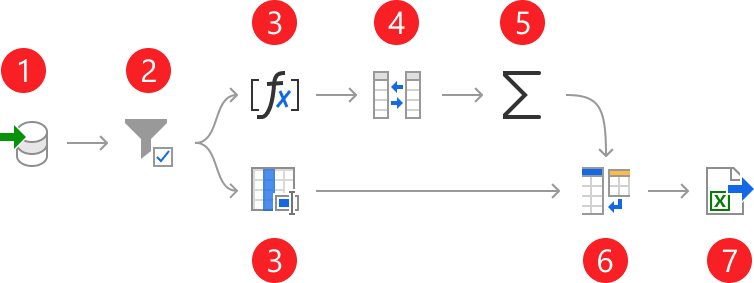
One thing worth noting is that the workflow engine does not always run actions one at a time. Where there are no dependencies preventing it, the engine executes actions simultaneously to optimise the speed of a workflow.
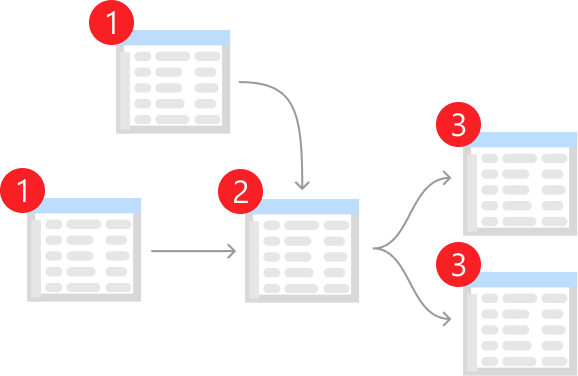
Important: The visual layout of tables on the workflow canvas and the visual order of workflow groups/tabs do not have any affect on the order of operations.
Defining explicit dependencies
There are some scenarios where we may still need to ensure that specific actions run before others. These scenarios usually involve working with external resources such as business systems, databases or files. For example, if we consider a version of the workflow shown above where branch 1 writes the summary to a new Excel spreadsheet file, and branch 2 updates the same file writing the detailed data to another sheet, clearly we can’t update the file before it has been created.
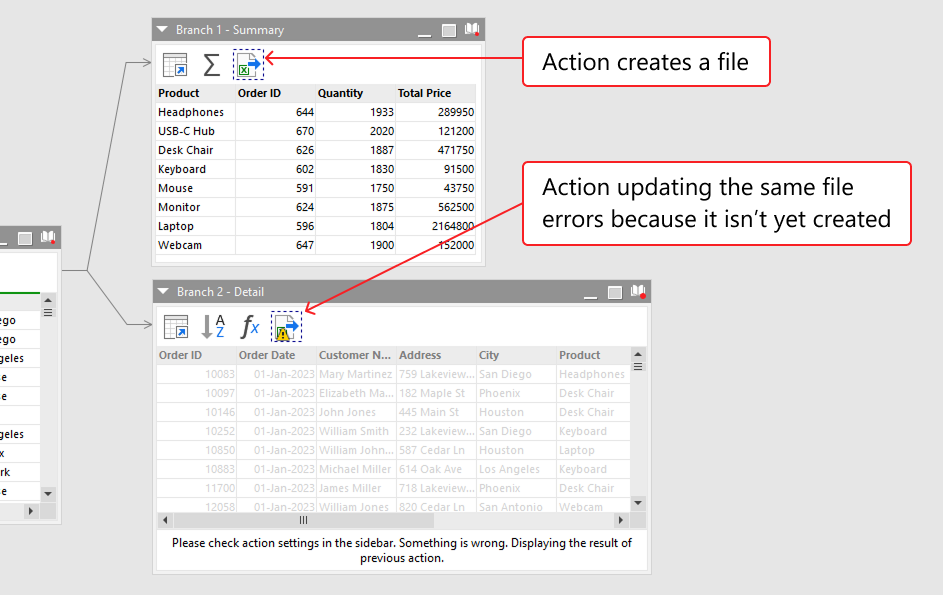
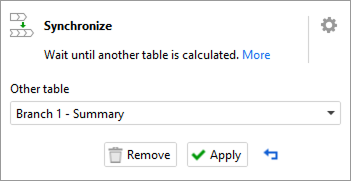
The Synchronize action allows us to explicitly define a dependency. Note that this action can only operate within the same workflow and isn’t able to synchronize actions across multiple workflows.
When configuring the action, we select the table which we want to have been fully calculated (i.e. all of its actions executed) before the workflow moves on from the Synchronize action.
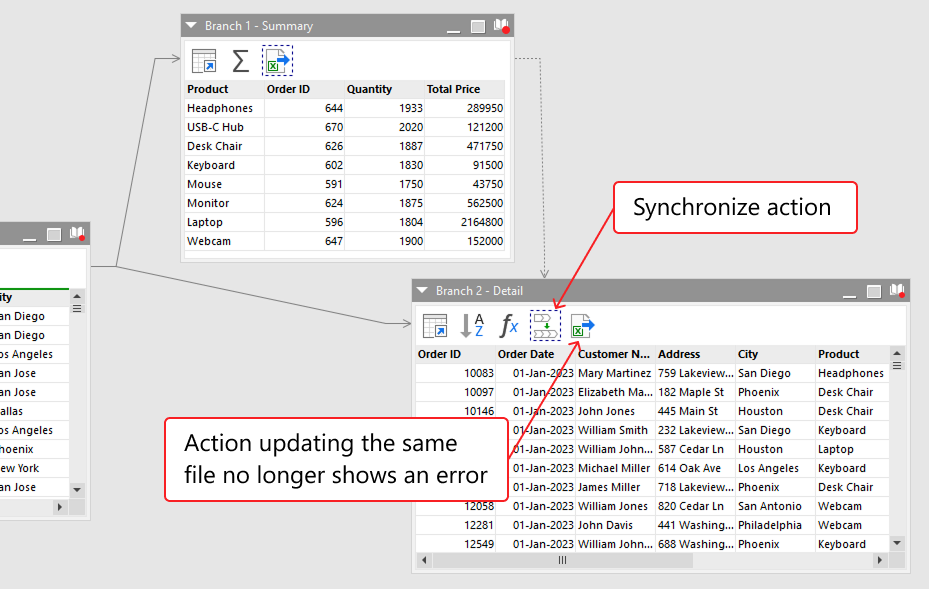
If we consider the above scenario, we can place the Synchronize action before the action attempting to update the file and configure it accordingly. We then see a dotted arrow is displayed to indicate the dependency and the action updating the file no longer shows an error.
Note: If an existing implied dependency already exists, such as those mentioned above, then defining an explicit dependency is unnecessary. However, adding one won’t cause any problems and is unlikely to cause any noticeable performance difference when the workflow is run.