 4.8
4.8
700+ organizations 45+ countries 350+ capabilities

4.8
700+ organizations 45+ countries 350+ capabilities
Instead of being bogged down into endless scripts and queries, use a visual workflow-based tool that is fast, lightweight, easy to learn, and doesn't require coding.

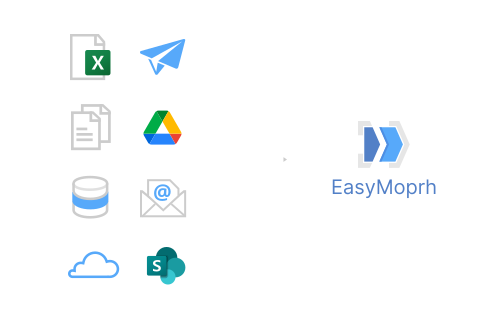
No matter whether your data is located in files, databases, enterprise applications or need to be extracted from APIs, you can connect to it and load into EasyMorph in a few clicks without coding.
You don't have to scratch your head to figure out how to transform your data. EasyMorph offers more than 180+ configurable transformations and actions to tame any problem.
Explore and analyze data at any step without re-running your workflows.

Speed up and automate end-to-end data preparation for BI dashboards and AI/ML models.
Automate manual operations with spreadsheets: generate, update, combine them, and do many more.
Query databases without knowing SQL. EasyMorph generates SQL for you.
Design robust, auditable, and verifiable financial and analytical calculations with complex business rules.
Receive and process hundreds and thousands of files in various formats automatically, without manual data wrangling.
Automatically generate, publish, and distribute personalized tabular reports.
Fix errors and inconsistencies in data automatically, without manual work.
Advanced data preparation for popular Business Intelligence applications such as Power BI, Tableau, or Qlik.
Visualize and analyze your data to make sense of it.
Explore relationships in data, discover major contributors and outliers.
So far for a data blending tool I have tested 6 options and Easymorph has actually been the closest from a simplicity and functionality point of view, when compared to the most common actions I used to do in Alteryx (non predictive data blending / cleansing). It seems to be the perfect tool from both a price and required functionality point of view in order to get the base reporting and tableau insights setup.
RyanAfter more than 18 months with easymorph, I can say that I absolutely love this tool. It really helps me a lot and there are so many use cases. Really a great product and I am absolutely happy that I have "found" it and that I could convince my CIO that easymorph is the right tool for our use case. He’s happy with the decision, too :).
Jochen M.EasyMorph connects to over 50 popular enterprise software tools you may already use.
Import from and export to Excel spreadsheets. Run VBA macros. Save as PDF.
Export, import, delete and update rows in Airtable.
Upload, download, delete files, create and delete folders in Google Drive.
Import from and export to Power BI datasets, refresh them, trigger flows.
Set up triggers in Zapier to execute EasyMorph Hub tasks in real time.
Export to Tableau extracts (Hyper or TDE), publish them on Tableau Server/Cloud/Public, trigger flows from EasyMorph.
Import from and export to more than 25 relational SQL databases including SQL Server, Postgres, Oracle, Redshift, Azure SQL, BigQuery.
Send plain text and richly formatted notifications to Slack channels.
Import from delimited (such as CSV, PSV, etc.) text files and text files with fixed width columns.
Send/receive emails with attachments using Exchange, Gmail, or any SMTP server. Mark read/unread and delete.
Send HTTP requests to web (REST) APIs and process responses (e.g. with JSON or XML body).
Upload and download files to/from SFTP servers or using SCP over SSH.
Upload, download, delete files and folders on Amazon S3.
Import/export data and key-value metadata from/to Apache Parquet (.parquet) files.
Upload, download, delete files, create and delete folders in Azure Blob Storage.
Import entities and entity attributes from Microsoft Dataverse.
Upload, download, delete files, create and delete folders.
Import Google Analytics data (v4 is supported).
Import Google Search Console data and metrics.
Import from and export to Google Sheets. List sheets.
Create Jira issues and update their statuses.
Import/export JSON files. Parse, modify, and construct JSON data.
Send instant notifications and actionable messages to mobile devices.
Upload, download, delete files, create and delete folders in OneDrive.
Import deals, contacts, and organizations from Pipedrive CRM.
Receive webhooks from Power Automate and trigger tasks in EasyMorph Hub in real time.
Send instant messages and notifications to mobile devices via Pushover.
Export, import, delete and update rows in Salesforce. Receive events from Salesforce.
Upload, download, delete files and folders on SharePoint (on-prem and cloud).
Export, import, delete and update rows in SharePoint lists.
Export, import, delete, update rows, create and delete tables in Snowflake.
Send alerts and richly formatted notifications to channels in Microsoft Teams.
Export to Qlik QVDs, trigger QMC tasks and app reloads, upload to Qlik Cloud.
Receive incoming webhooks from cloud and internal applications and trigger Server tasks in real time.
List, create, and update Zendesk tickets.
Enterprise ETL applications like Alteryx can be costly. Reduce your software bill by 75-80% by replacing them with EasyMorph.
Unlike cloud-based tools that require you to send your data to some computer somewhere in exchange for the banal promise that "your privacy is our top priority", with EasyMorph your data simply never leaves your computer(s). It stays where it is, where you can control it.
EasyMorph Desktop is forever free and includes the professional edition. Pricing is flat and simple:
| Desktop edition | Free | Professional |
|---|---|---|
| Unlimited data | ||
| Actions per workflow | Up to 20 | Unlimited |
| Desktop Scheduler | ||
| Technical support | Community Forum | Email (business hours) Community Forum |
| Price per user | $0 forever, we promise | $75 / mo billed annually as $900/yr, or $300 for 3 months |