Many Excel users spend a surprising amount of time doing the same manual tasks every week.
Some of these include downloading files from email, copying data into reports, updating spreadsheets, and uploading the final version to SharePoint or another folder.
These workflows often grow over time. What starts as a quick task eventually becomes a fragile process that someone has to remember to run every day or every week.
The good news? These workflows can be automated.
That’s why we’re hosting Part 2 of our webinar series on automating manual work in Excel without coding, where we’ll show how Excel-driven processes can run automatically using EasyMorph without writing VBA macros or Python scripts.
What You’ll Learn
Throughout this webinar, we’ll show you how to automate common Excel workflows using EasyMorph.

Part 1: The scenario & advanced data acquisition
- Automating Excel report updates from files received via email.
- Blending Excel spreadsheets with database data.
- Receiving Excel files through email.
- Downloading files from SharePoint and other shared folders.

Part 2: Advanced automation and publishing
- Scheduling automation workflows.
- Building advanced workflows that are triggered automatically by changes in data or other events.
- Creating conditional workflows using reusable parameters.
- Running VBA, Python, and other scripts inside EasyMorph workflows.
- Using AI services in data workflows.
- Sending Excel reports automatically via email.
- Uploading files to SharePoint and publishing data to BI dashboards.
Live Q&A – 10 Minutes
We’ll wrap up with live questions from attendees.
This is your opportunity to speak directly with Dmitry and Matt about your challenges with manual work and Excel.
Why This Matters
Many organizations still rely on manual Excel processes that consume hours of analyst time every week. Automating these workflows helps teams:
- Save time by reducing repetitive work.
- Minimize errors.
- Deliver reports faster.
- Scale processes without adding manual effort.
No heavy technical background required.
Why EasyMorph?
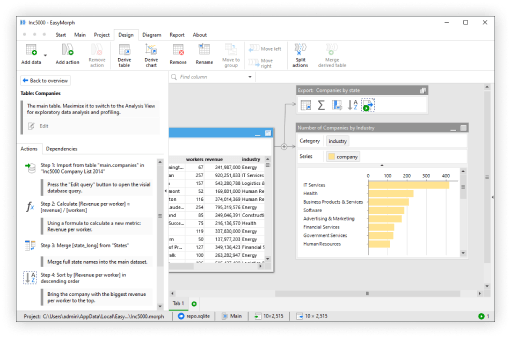
EasyMorph provides everything Excel users need to automate repetitive spreadsheet work in one unified platform. Instead of manually downloading files, updating reports, and distributing results, EasyMorph allows you to build visual workflows that handle these tasks automatically without coding, saving you hours of work.
Bonus: All registrants receive access to the replay and a 2-pager overview of how the entire Data Ingestion lifecycle works in EasyMorph.
Space is limited - reserve your seat today.