We’ve just released version 6.2 of EasyMorph Hub and EasyMorph desktop. Let’s take a look at what’s new and improved.
You can download version 6.2 of EasyMorph Desktop and EasyMorph Hub now:
Python tasks in Hub
In version 6.0.1 we introduced Python tasks in EasyMorph Launcher, which ships with EasyMorph Desktop, allowing you to easily run and schedule Python scripts. In this release we've added support for Python scripts as Tasks in EasyMorph Hub.
When creating a Task, we can now switch the task type between "EasyMorph Workflow" and "Python script".
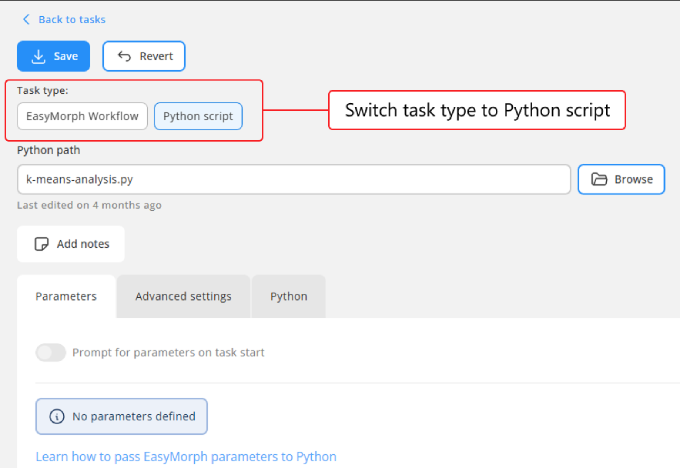
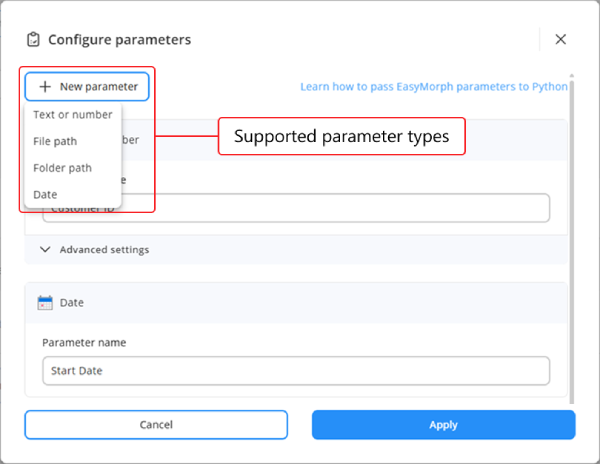
When set to Python script, we can browse for our script (.py file) instead of a workflow (.morph file) and optionally also define parameters for the task. Because of EasyMorph's tight integration with Python, these paramenters can be accessed from within our script.
Once created, just like with workflow based tasks, you can run the Python task manually whenever needed, or we can assign triggers. This means that Python tasks can be scheduled, but also we can assign event based triggers to automate running the script when a specific event occurs, such as when a new file appears in a specified folder.
Note: Like workflow based tasks, we can prompt the user to input values for the parameters when manually running the task.
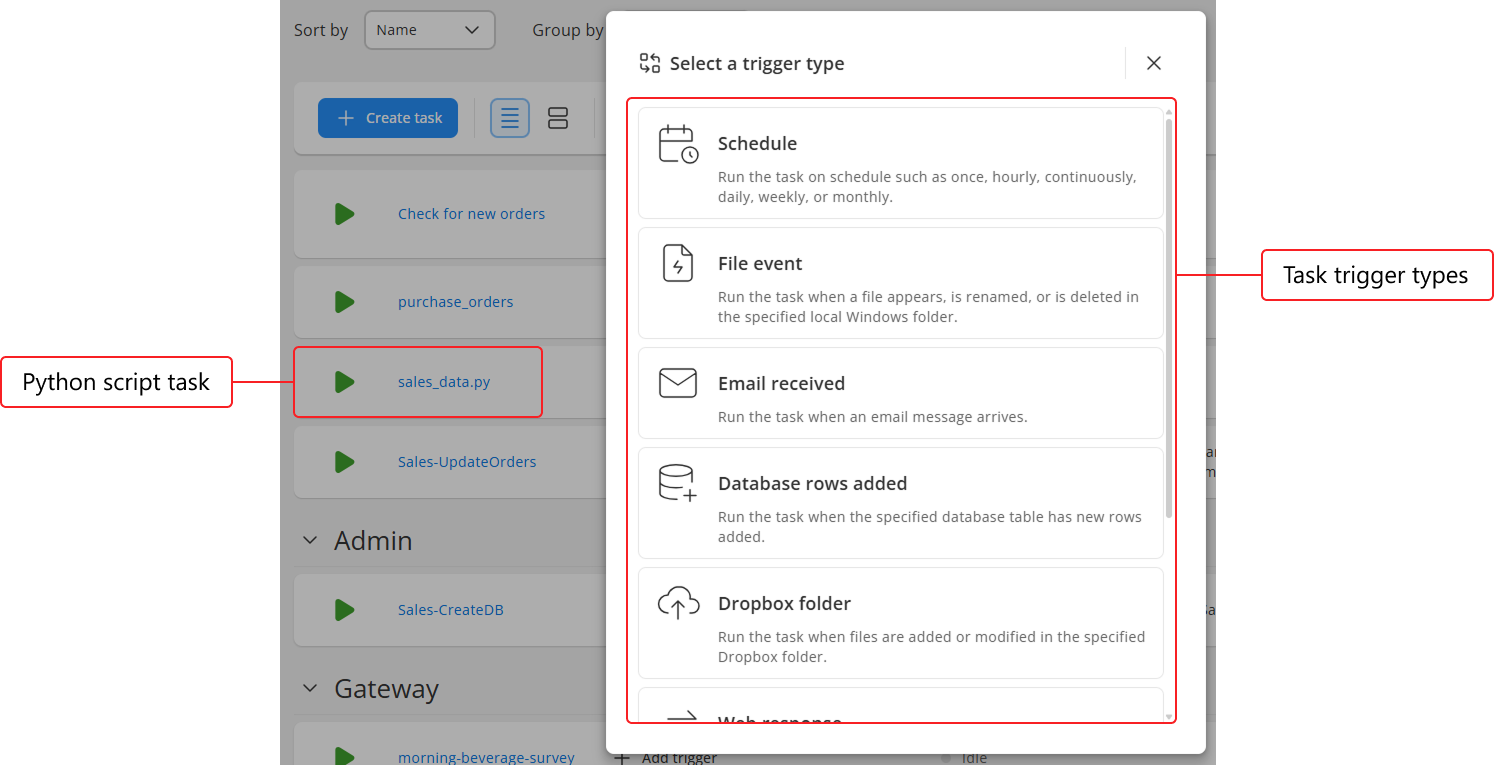
The possible use cases are almost endless, but as an example, I’ve set up the same Python script as 3 separate tasks, each of which has different parameter values set. Now not only can I run them with a simple click rather than having to use the command line, I also don’t have to remember and type in the different arguments each time as they are set as parameters in the task.
In the future we may add support for other task types in Hub also, such as for running PowerShell scripts or programs with command line arguments. If this is something you’d like to see, hop on over to the EasyMorph Community and let us know.
Saving changes in Hub Analysis View
Whenever we open a dataset in EasyMorph Hub we see the Analysis View, with instant filters and charts to help us understand and explore the data. This is true for both pre-computed datasets and those computed on the fly. Previously, if we made changes within this Analysis View in Hub they would be lost once we navigate away. In version 6.2 we’ve added a Save view button at the top of the Analysis View to allow you to save any changes that have been made.
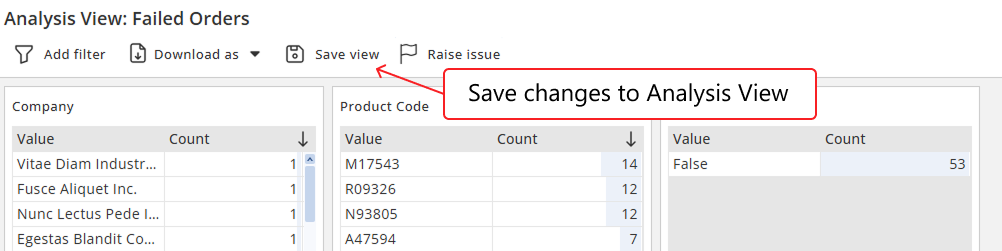
Note: When we save chages to a dataset's Analysis View, we are saving the changes for everyone who views the dataset after us, not just ourself.
Additionally, whilst the configured instant filters are saved, the specific selections within the filters are not.
More ways to create issues
In this release we’ve made it quicker and simpler to create an issue on an Explorer Board from several locations in Hub. The first is for raising an issue about a file directly from Files Manager or a file section on a Board. If we click on the 3 dots menu next to the file, we’ll see a new Raise issue option.
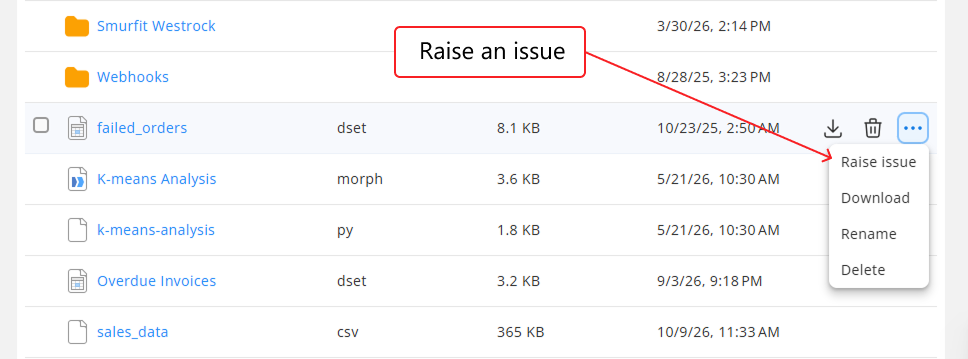
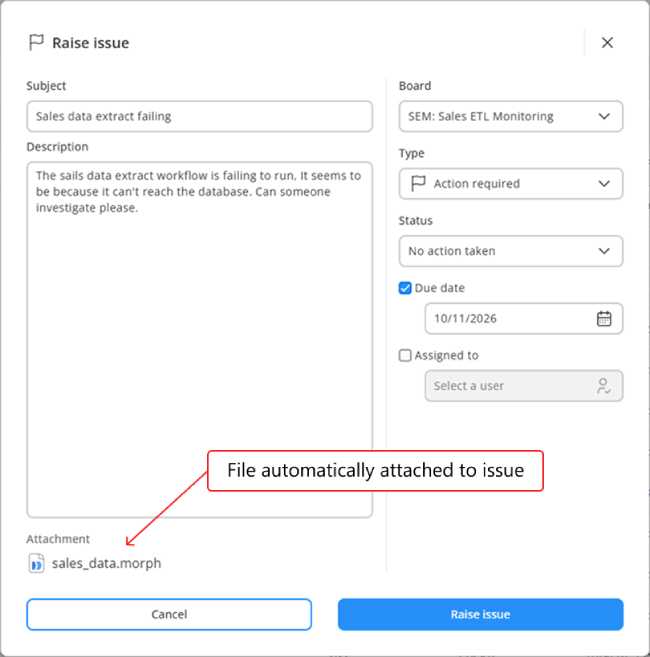
When clicked, we’re prompted to enter all of the usual information for the issue such as which board to raise it on, the title, a description, who to assign it to, etc. And most importantly, the file will be automatically attached to the issue also.
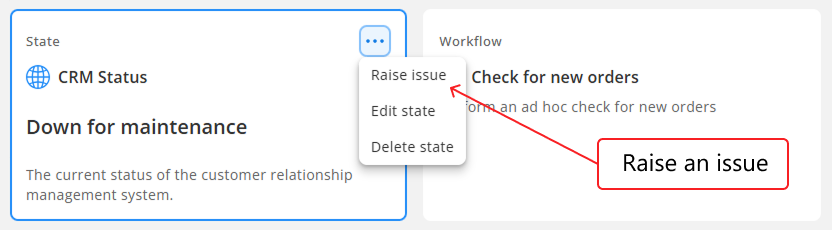
In a similar way, we can now also raise an issue quickly from any catalog asset, by clicking on 3 dots menu in the top right corner and selecting Raise issue. Just like when raising an issue from a file, the catalog asset is automatically attached to the issue.
And finally, when viewing a dataset in Analysis View, we can also create an issue directly from there too, using the Raise issue button at the top of the screen. And again, the dataset will be attached to the issue automatically. If we have any quick filters applied, then the specific filtered values will be included so that the person viewing the issue can see exactly the data which was visible when the issue was created.
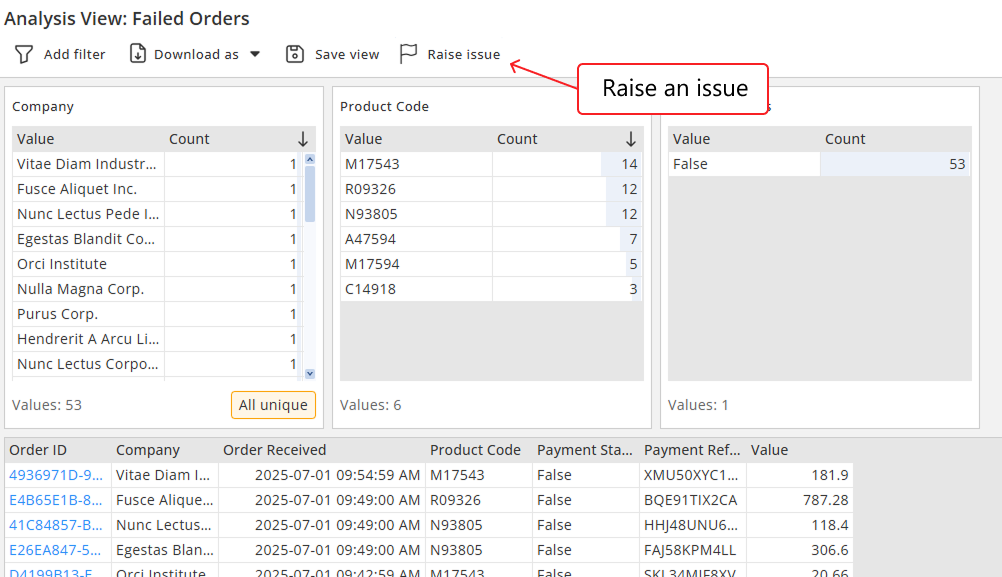
Note: When raising an issue in any of the ways described above, if it is an EasyMorph project (.morph file), a computed asset, or a computed dataset then we can define any parameters for it as we create the issue. When someone runs the task from the issue, it will be run with the configured parameter values ensuring the person viewing the issue sees the right information.
More asset types can be created in Hub
Over the last few releases we’ve been methodically closing the gap between creating and modifying catalog assets in EasyMorph Desktop verses EasyMorph Hub. Version 6.2 is no different with support added for creating and modifying Transformer and Exporter assets directly in EasyMorph Hub.
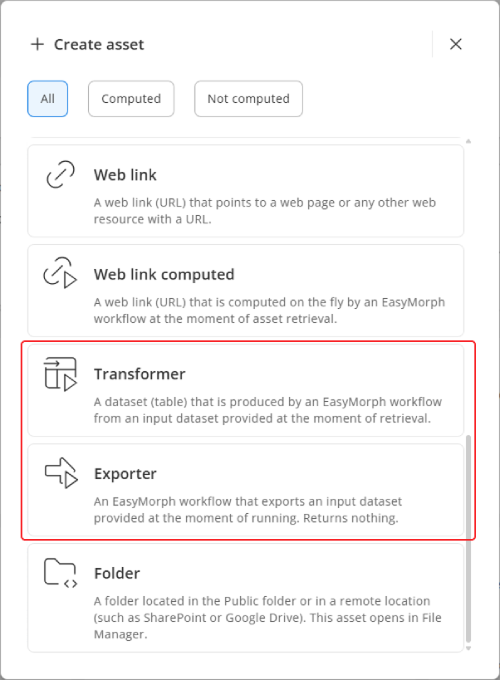
Note: Transporter and Exporter assets types can now also be used in dataset asset general commands.
Support for ServiceNow
ServiceNow has been growing in popularity and we’ve seen more and more customers adopting it. So in version 6.2 we’ve added extensive support.
A new connector type has been added allowing you to connect EasyMorph to your ServiceNow instance.
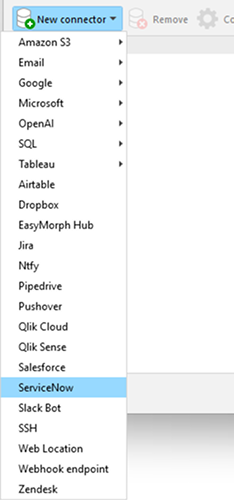
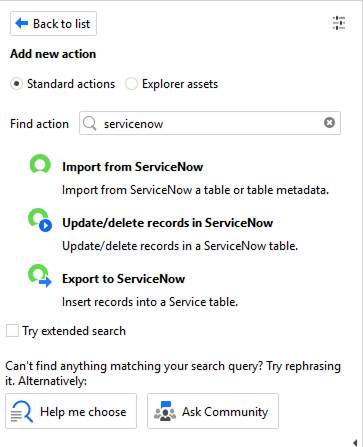
We’ve also added 3 new actions to allow you to:
- Import a table or a table’s metadata from ServiceNow to EasyMorph.
- Export data from EasyMorph to a ServiceNow table.
- Update records in a ServiceNow table or delete them.
DuckDB support
Over the last few months we’ve received quite a few requests for EasyMorph to support DuckDB, an analytics focused database engine. And so in version 6.2 of EasyMorph you can now create connectors to DuckDB databases.
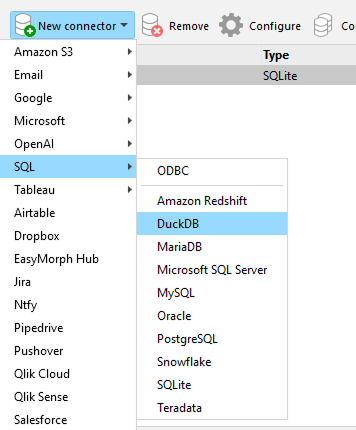
As DuckDB is a file based database like SqLite, when creating the connector, you can create a brand new database file instead of connecting to an existing one.
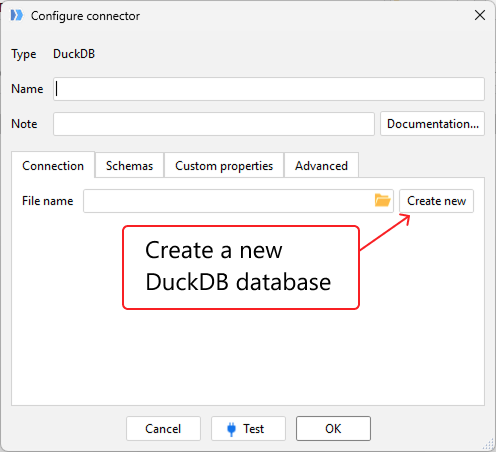
You can of course, use these DuckDB connectors in all of the relevant database actions to import data from DuckDB, export data to DuckDB and much more.
Per user connectors for all database types
Whilst on the topic of connectors, in the last release we introduced per-user connectors, allowing you to create connectors which require each user to provide their own authentication information (i.e. username and password) before running a workflow which uses them.
In this release we’ve extended per-user connectors to support creating them for all databases where authentication is required.
Improved “quick tutorials” in Desktop
If you’re new to EasyMorph, version 6.2 now has new and improved quick tutorials built directly into EasyMorph Desktop, which guide you step-by-step through building your first data preparation and automation workflows. They also include links to additional resources such as the full tutorial article or a related video.
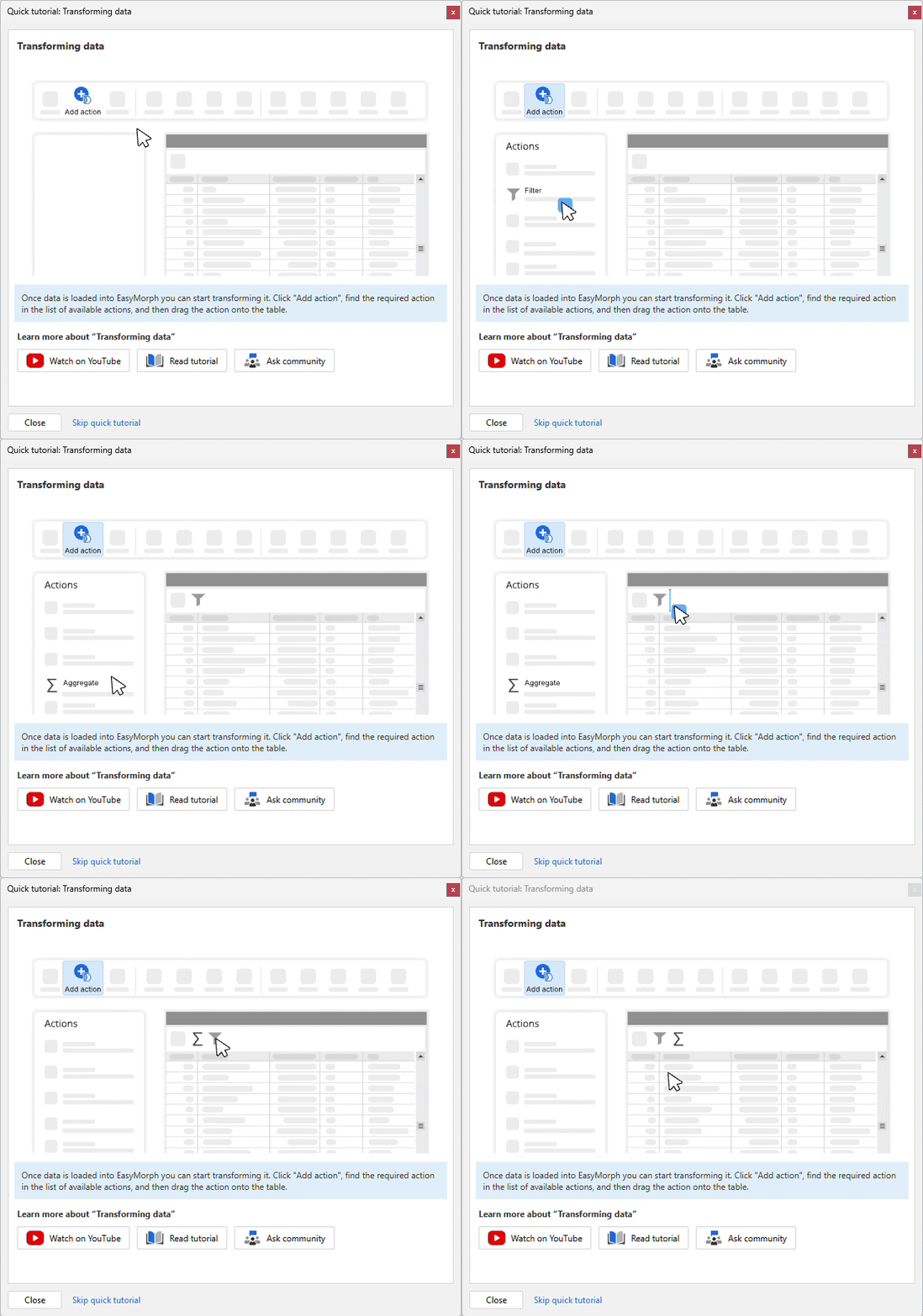
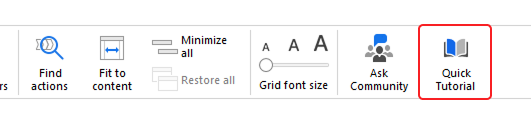
Tip: If at any time you want to get back to the quick tutorials after closing them, you can click on the Quick tutorial button on the Main tab’s top navigation bar.
Insights
In this release, we’ve taken an existing feature of EasyMorph Desktop called Suggestions and given it a revamp. We’ve also renamed it to Insights, to better reflect planned future improvements.
When selecting a column in any table of our workflow, EasyMorph checks whether a range of data quality problems may be present in that column’s data. If there are, then at the top of the workflow canvas we see a highlighted icon, showing us that EasyMorph has potential insights into the data.
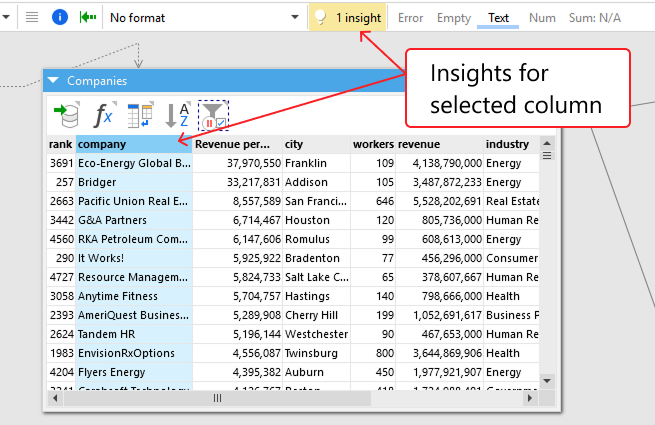
When we click on the insights icon, a dialog opens showing us the available insights. For instance, in the below example, EasyMorph has identified one or more text values which contain only numeric characters and so could be converted to a true numeric value.
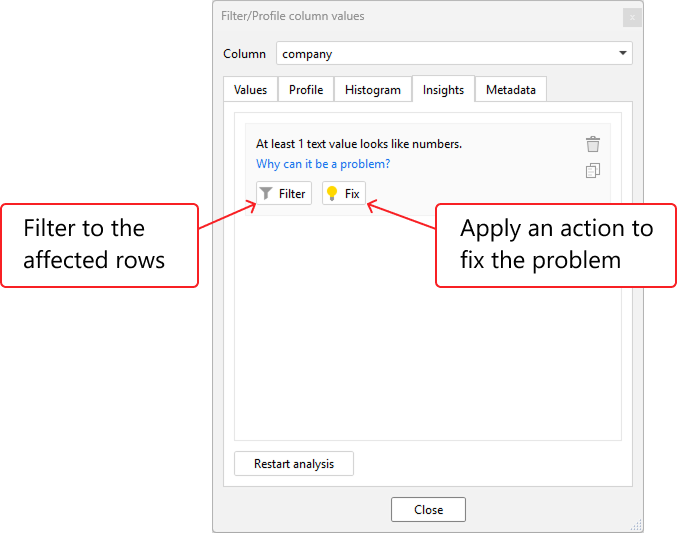
Insights show a Filter button which when clicked adds the relevant filter action to our workflow filtering to just those applicable rows. Whenever possible, an insight also shows a Fix button which adds the necessary action to resolve the problem.
In future releases, we’ll be adding more insights, including some which aren’t potential data quality problems but which you may still want to investigate. If you have ideas for future insights, head over to the EasyMorph Community forum and let us know.
Other improvements and changes
As always, version 6.1 also contains a significant number of other improvements and bug fixes. A few worth mentioning are:
- A new addworkdays() function added which adds or subtracts a given number of working days to/from a date.
- The workdays() function now has a new weekend_start arguement.
- Spaces and Tasks in Hub can now have owners assigned to them.
- Okta is now supported as a Hub external identity provider via OpenID.
- Power BI Catalog assets can now be embedded in Explorer Boards in the same way Tableau dashboards can be.
For full details of everything that has changed in this release, check out the detailed release notes available from our website.
Download EasyMorph Hub and EasyMorph Desktop version 6.2 now!
What's Coming Soon
As always, we have a long list of new features and improvements planned for upcoming releases. Just a few coming soon include:
- New and vastly improved charts in Analysis View in Desktop and Hub.
- Facets in Hub Analysis View.
- Playground - simple in-browser data preparation including support for custom actions.
- Lists in Explorer - simple updatable tables similar to SharePoint lists.
- A “trash bin” for deleted Catalog assets.
- And much more…