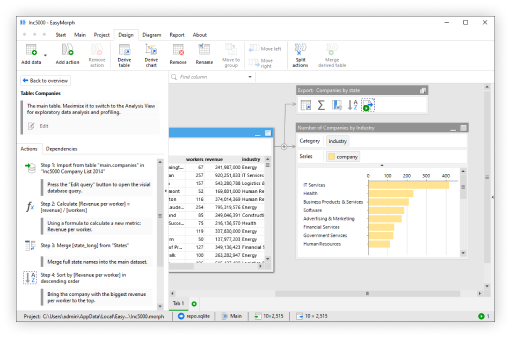
In version 6.1 of EasyMorph we introduced a fundamental change to connectors with the introduction of per-user connectors.
If you aren’t familiar with what a connector is, each connector defines and stores the necessary information to connect EasyMorph to a 3rd-party tool such as a database, business system, cloud platform or web API.
For example, if we wish to connect EasyMorph to a database, we first create a connector of the correct type for the database we are working with, such as PostgreSQL, MySQL, Microsoft SQL Server, etc. We then enter the database server address, port number and authorization credentials such as a username and password. Each time we add an action to our workflow to extract data from or push data to the database, we can simply select the connector rather than having to enter all of the connection and authorization information again.
Note: This feature is considered as “Experimental” and as such, in version 6.1 per-user connectors can only be created for PostgreSQL and Microsoft OneDrive. We’ll be adding support for all database connectors in v6.2 and more connector types in future releases.
Connector repositories
Connectors are stored in connector repositories which can be located in a few main places:
- Local repository — when working in EasyMorph Desktop to build workflows, we have a local repository which we can store connectors in and which is not accessible to anyone else.
- Embedded repository — When creating a workflow we can embed a connector into the EasyMorph project file itself. It’s a less secure option and we generally discourage using it.
- Hub Space repository — Each space in EasyMorph Hub also has a shared connector repository. Storing connectors here allows others with access to the space to also use the connector. Any workflows running on the Hub, such as those running as a scheduled task, can also use the connector.
Important: Per-user connectors affect how connectors are authorized for different users. Because of this, they can only be created in a shared Hub Space repository.
Shared authorization vs per-user authorization
From version 6.1, when creating a connector of a supported type within a Hub space’s repository, we will be prompted to choose between Shared authorization and Per-user authorization. So what is the difference?
The configuration of any connector can be split into two main sections:
- Connection — The details necessary for connecting to the relevant system such as the server address or URL, port numbers, etc.
- Authorization — The username and password, API key or other authorization details required to access the system.
Both shared authorization and per-user authorization connectors have both of these sections configured. The difference lies in the authorization.
Shared authorization connectors work in the same way as EasyMorph connectors always have. When the connector is created, the person creating it configures both the connection and authorization for the connector and when anyone uses it, they use these same settings.
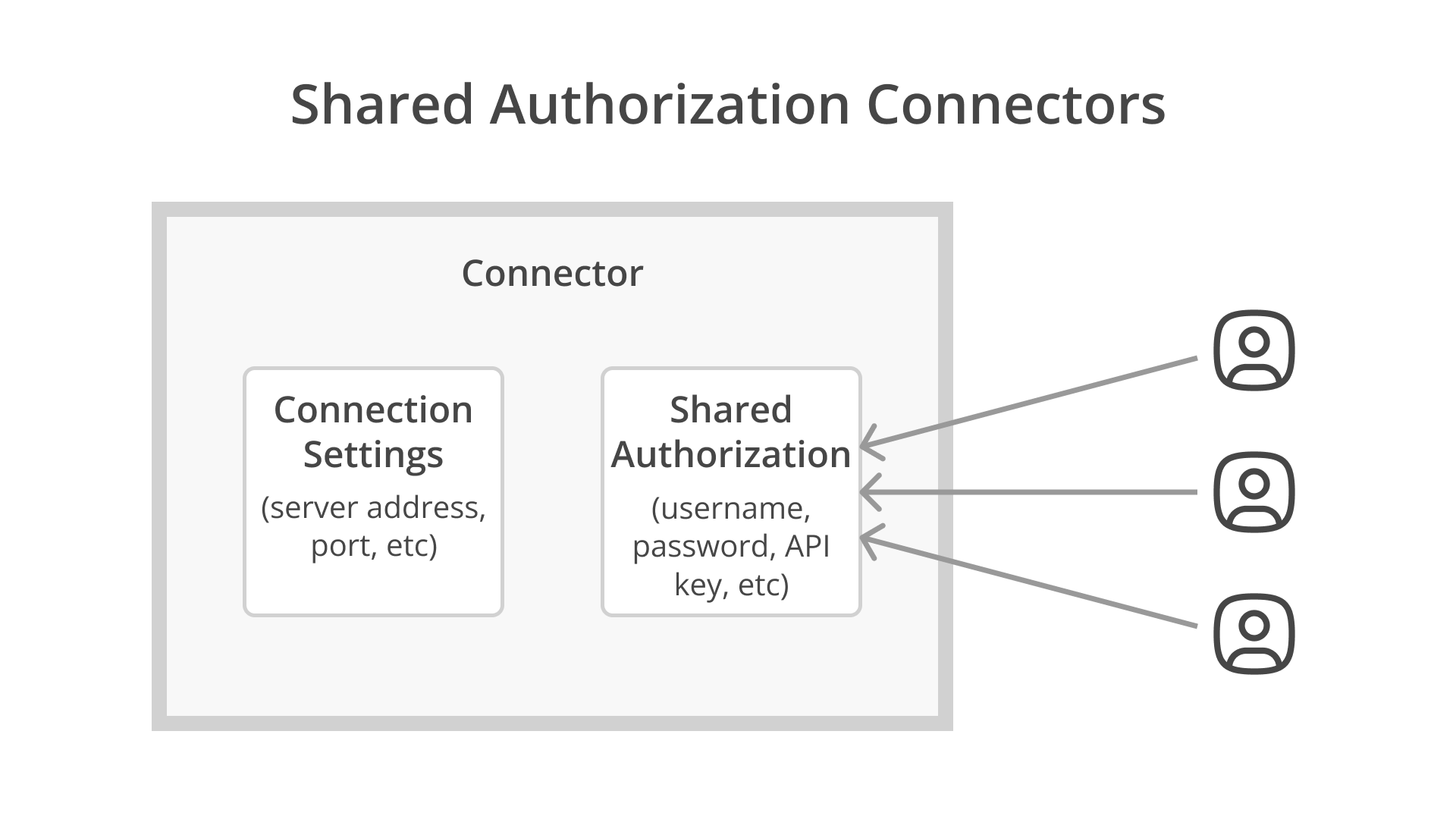
Individual users don’t need to enter their own authorization information when using the connector, but instead can use the details entered by whoever created the connector. This is how connectors have always worked in EasyMorph and so there is nothing to worry about when upgrading to version 6.1 or above. All existing connectors will simply be treated as shared authorization connectors.
Per-user connectors are what is really new in this release. When creating a per-user connector, the person creating it still configures both the connection and authorization information, but importantly, the authorization information will be “tagged” to the specific user creating it. When a different user tries to use the connector, they will need to provide their own authorization information, which will be saved and “tagged” to them. In this way, per-user connectors store different credentials for each user.
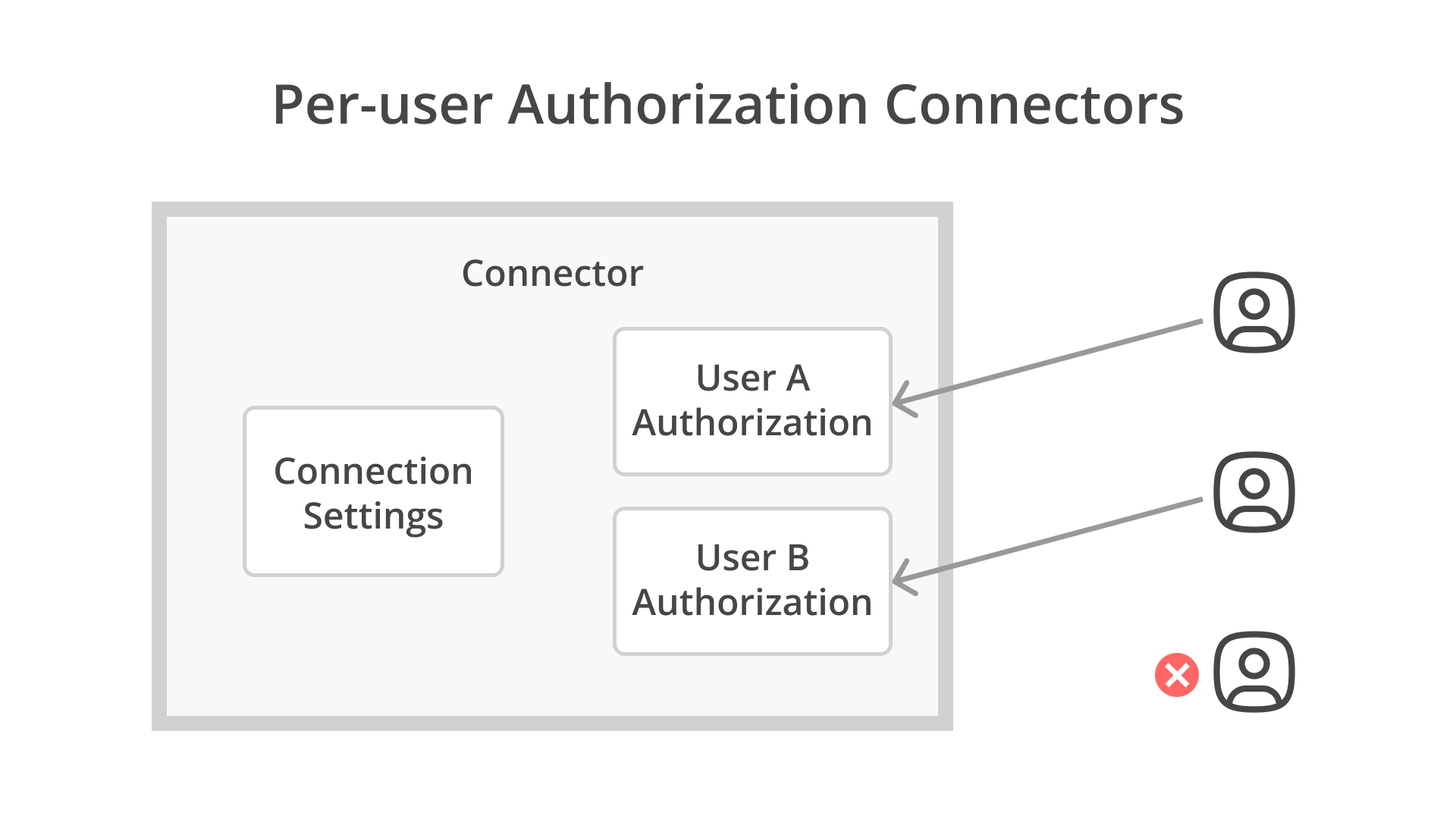
If a user doesn’t enter their own credentials for the relevant database or system, they won’t be able to use the connector and so won’t be able to run any workflow using the connector.
So for example, IT can configure an email connector, providing the server address, port, and other settings. Users can then use the connector, simply providing their own username and password for their email account and no one will be able to access an email account other than their own.
In a similar way, if a database is configured to provide row level access permissions. Per-user authorization connectors mean that different users may return different sets of data based on the permissions their accounts have within the database.
Creating per-user connectors
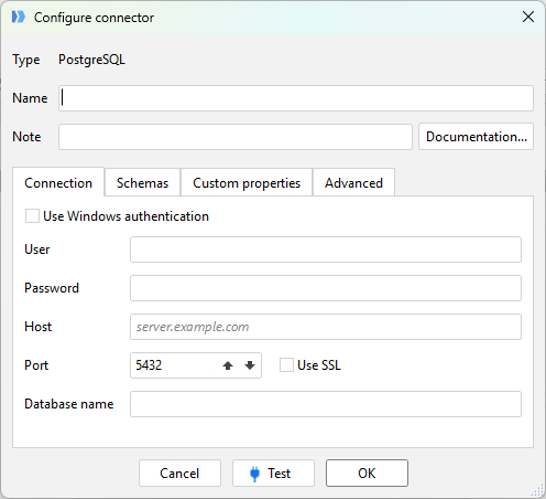
Starting from v6.1, when creating any of the supported connectors in a Hub space repository, you’ll now be prompted to choose between shared and per-user authorization.
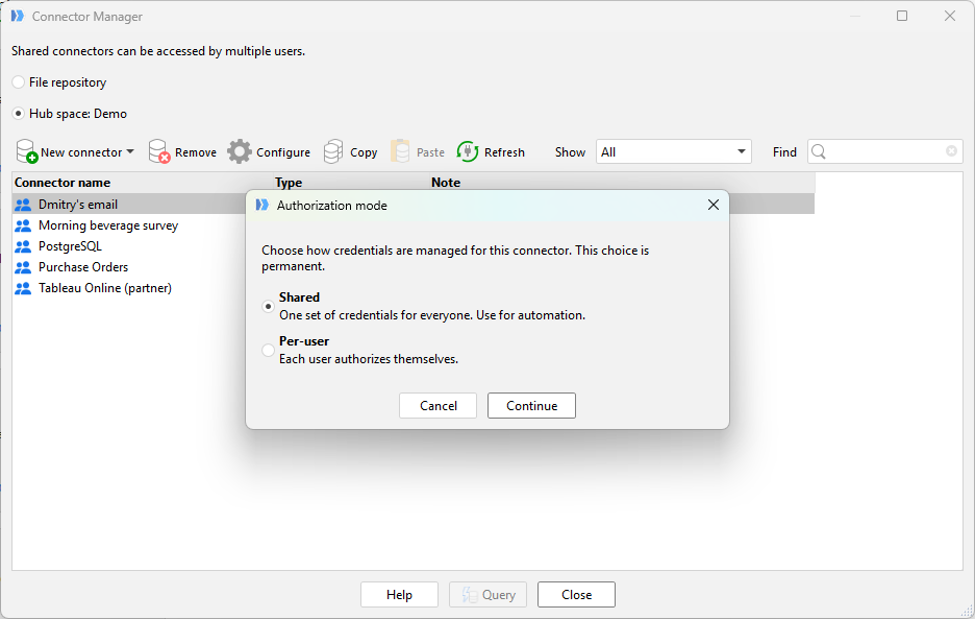
If we select the “Per-user” option, we can configure the connector in exactly the same way as we always have, including any authorization information such as a username and password so that we can test if the connection works and even use the connector ourselves, safe in the knowledge that no one else will be able to use the authorization credentials we provided.
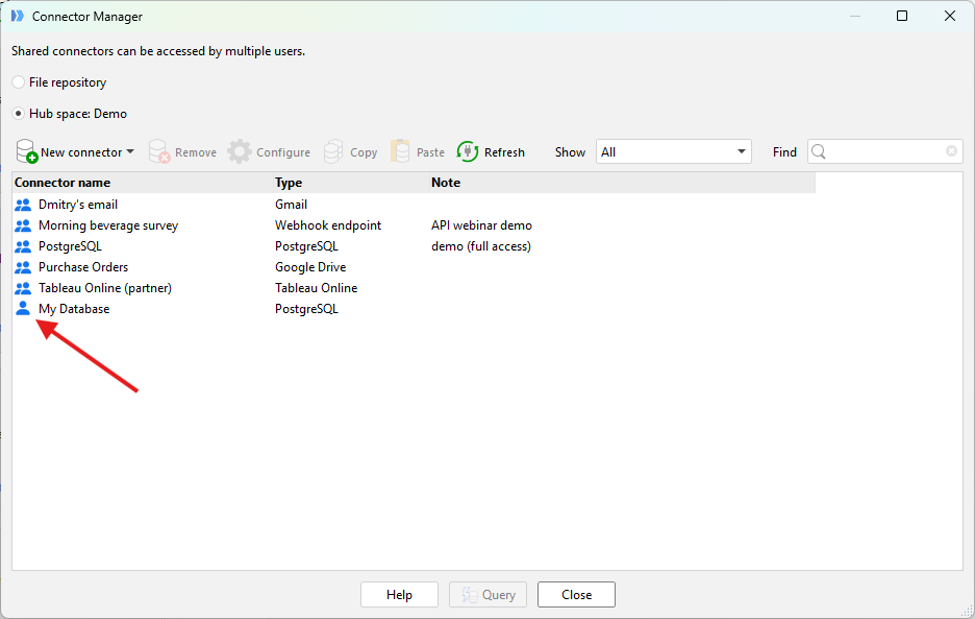
Once created, the connector will then appear in the connector list and an icon next to each connector indicates whether it is a shared (2 person icon) or per-user (single person icon) connector.
Using per-user connectors
Before any other user can use the connector in a workflow, they’ll first need to configure their own authorization information to be able to use it.
For those who use EasyMorph Desktop to create workflows, they can authorize the connector in the same way they always have using the Connector Manager. For Hub users, it would be prohibitive for them to have EasyMorph Desktop installed and set up to do this. We’ve therefore added the ability to authorize per-user connectors directly in the Hub web user interface.
In the last release, we added the ability to see and audit connectors within the Hub UI. For per-user connectors, these now show up in the Connectors section of Hub with an “Authorize” button.
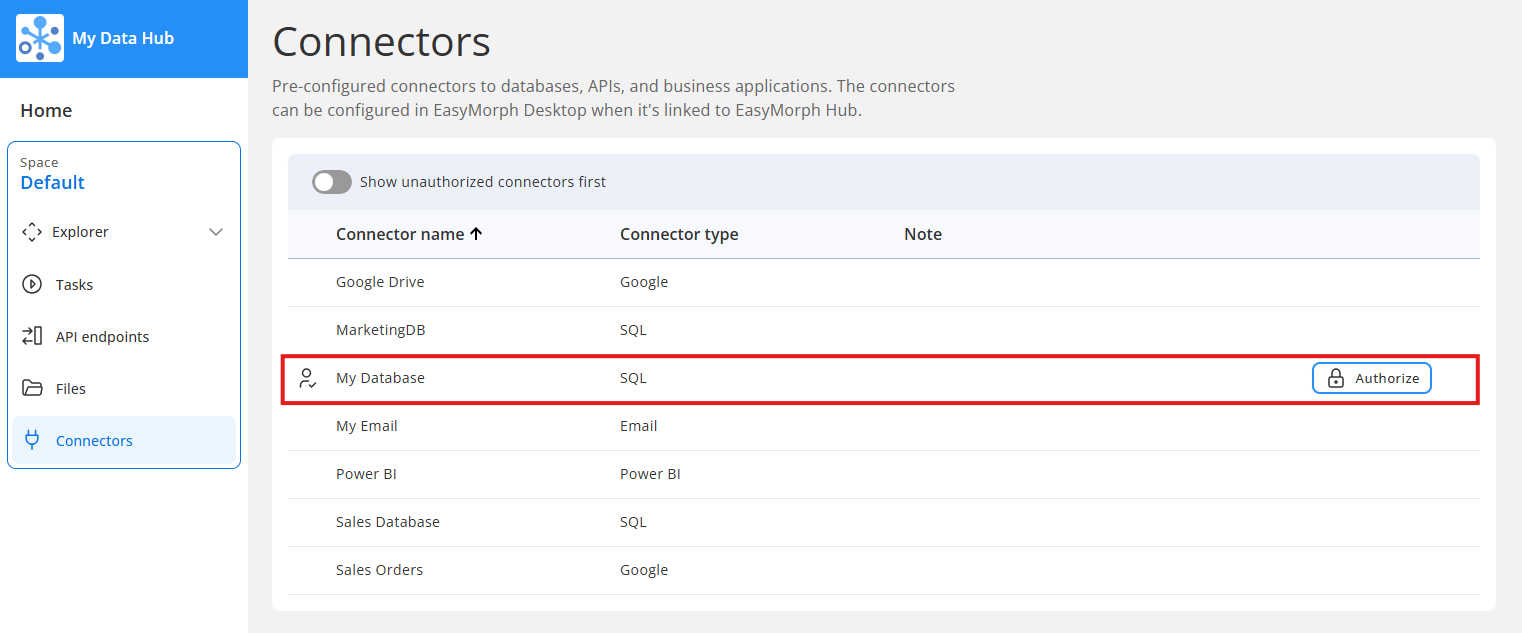
Each user can click this button and enter their own credentials for the connector to use.
Note: When workflows are executed on EasyMorph Hub by a user, Hub knows the logged in user who triggered the task or Catalog asset and so will use that user’s credentials for the connector. When a workflow is executed automatically on a schedule or triggered by an event, the workflow is run as a local service account which won’t have credentials for the per-user connector. Because of this, per-user connectors can’t be used for Hub Tasks with triggers, API endpoints, and Web Tasks.
Summary
Per-user connectors bring more flexibility and security when connecting EasyMorph to other business systems. You can try them for yourself right now by downloading version 6.1 of EasyMorph Hub and EasyMorph desktop.